Workflows & Automation
Stoplosingleadstoslowfollow-up.
Every hour a lead waits, your close rate drops. We build follow-up that replies in seconds and books the job.
Workflows & Automation
The busywork runs itself. You get back to the work you love.
A workflow is a set of steps your CRM follows on its own: when something happens, it texts, emails, books, reminds, tags, and updates for you. We build them around how your business actually runs, and they work 24/7 without anyone remembering to do them.
Automation that keeps youdoing what you love.
General business automation
Invoice and payment reminders, task assignments, pipeline updates, and team alerts, synced with the tools you already use.
Every run, on the record
Enrollment history and execution logs show exactly what ran, for whom, and when.
Social media automation
Comments and DMs on Facebook and Instagram get an instant reply that asks the right questions and routes hot leads to you.
See a real oneBooking automation
Confirmations, reminders, reschedule links, and no-show rebooking keep your calendar full without phone tag.
Review automation
After every job, customers get a review request by text and email, with gentle follow-ups until they leave one.
See a real oneMissed-call text-back
Miss a call on the job and the caller gets a text in seconds, so the lead stays yours.
How a workflow works
Inside a new-lead follow-up, step by step.
Here's one of the most common workflows we build, laid out the way it looks in the builder, with what each step does.
- Trigger
Form submitted
“Get a quote” on your website
Step 01
Every workflow starts with a trigger
A trigger is the moment that kicks things off: a form fill, a missed call, a new booking, a tag added, a comment on your post. The second it happens, the contact enters the workflow.
- Action
Send SMS
“Hi {first name}, thanks for reaching out! …”
Step 02
Reply in seconds, not hours
Actions do the work. The first one texts the lead right away, using their name, so they hear from you before they call the next business on the list.
- Action
Send email
Your info, pricing, and next steps
Step 03
Back it up by email
A second action sends the details by email. Every message is written in your voice and personalized with the customer's info.
- Action
Notify you + add to pipeline
New opportunity · Stage: New lead
Step 04
You and your team stay in the loop
The lead lands in your pipeline with a stage and a value, and you get a notification on your phone, so nothing depends on someone checking an inbox.
- Wait
Wait 1 day
or until they reply
Step 05
Waits give people time to answer
Waits pause the workflow for a set time or until something happens, so follow-ups feel natural instead of spammy.
- Condition
Did they reply or book?
Yes
Stop + hand to you
No
Follow-up text, wait 2 days, final email
Step 06
Branches react to what the customer does
If/else steps split the path. Replied? The workflow stops and hands the conversation to you. Didn't? It sends a friendly follow-up, waits, and tries once more.
- Goal
Appointment booked
→ exit workflow
Step 07
Goals stop the messages the moment they convert
A goal pulls the contact out as soon as they book, so nobody gets a follow-up after they've already said yes.
From our builder
Two of the workflows we run, straight from the CRM.
Real workflows can grow to dozens of steps and branches. You never have to touch that: we build it, test it, and keep it running.
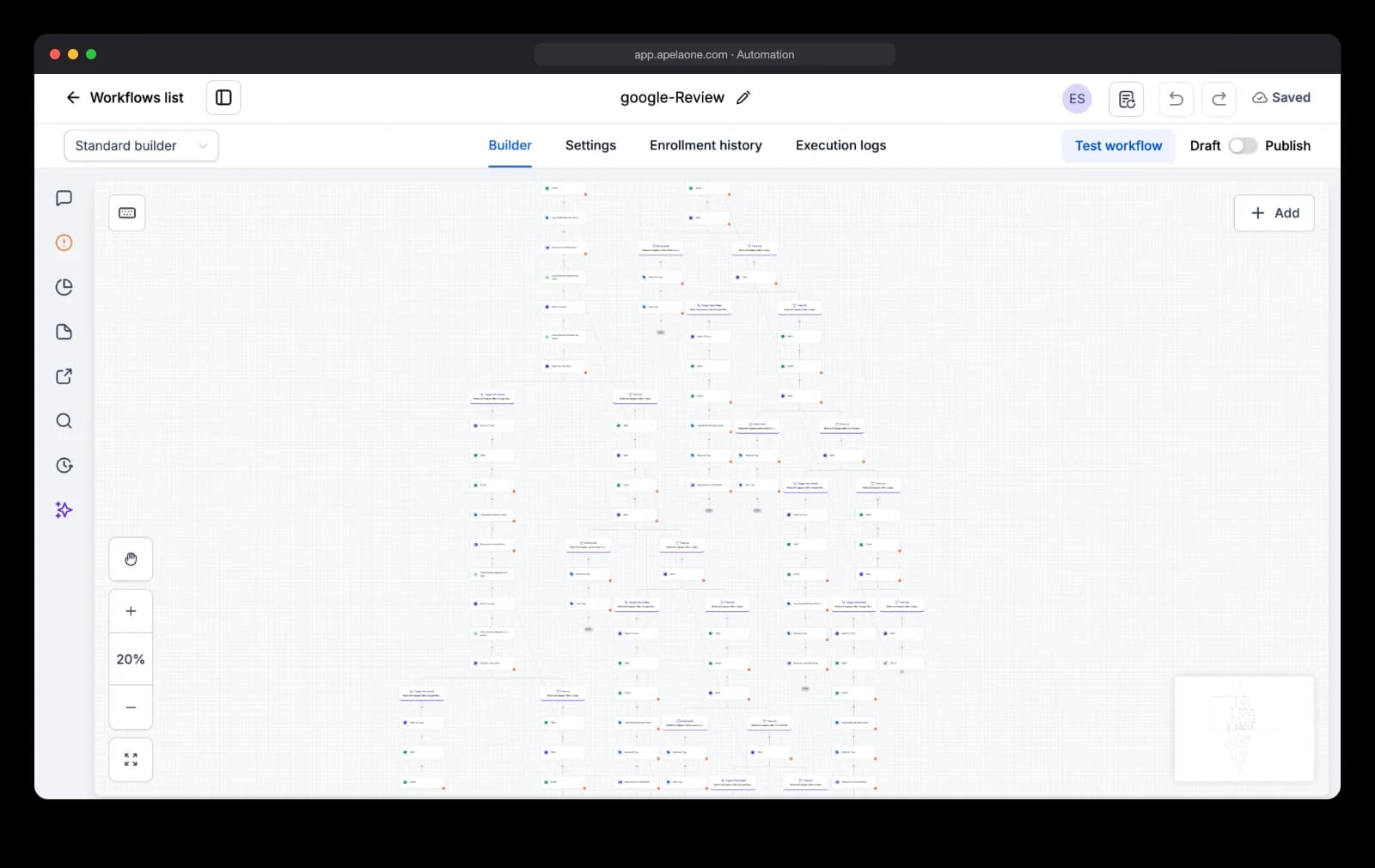
Review automation
Google review requests that follow up for you
Once a job is marked done, the customer gets a review request by text, then by email. The workflow watches for the link click: clicked customers are tagged and thanked, and anyone who hasn't left one gets a few gentle reminders spaced days apart before it stops.
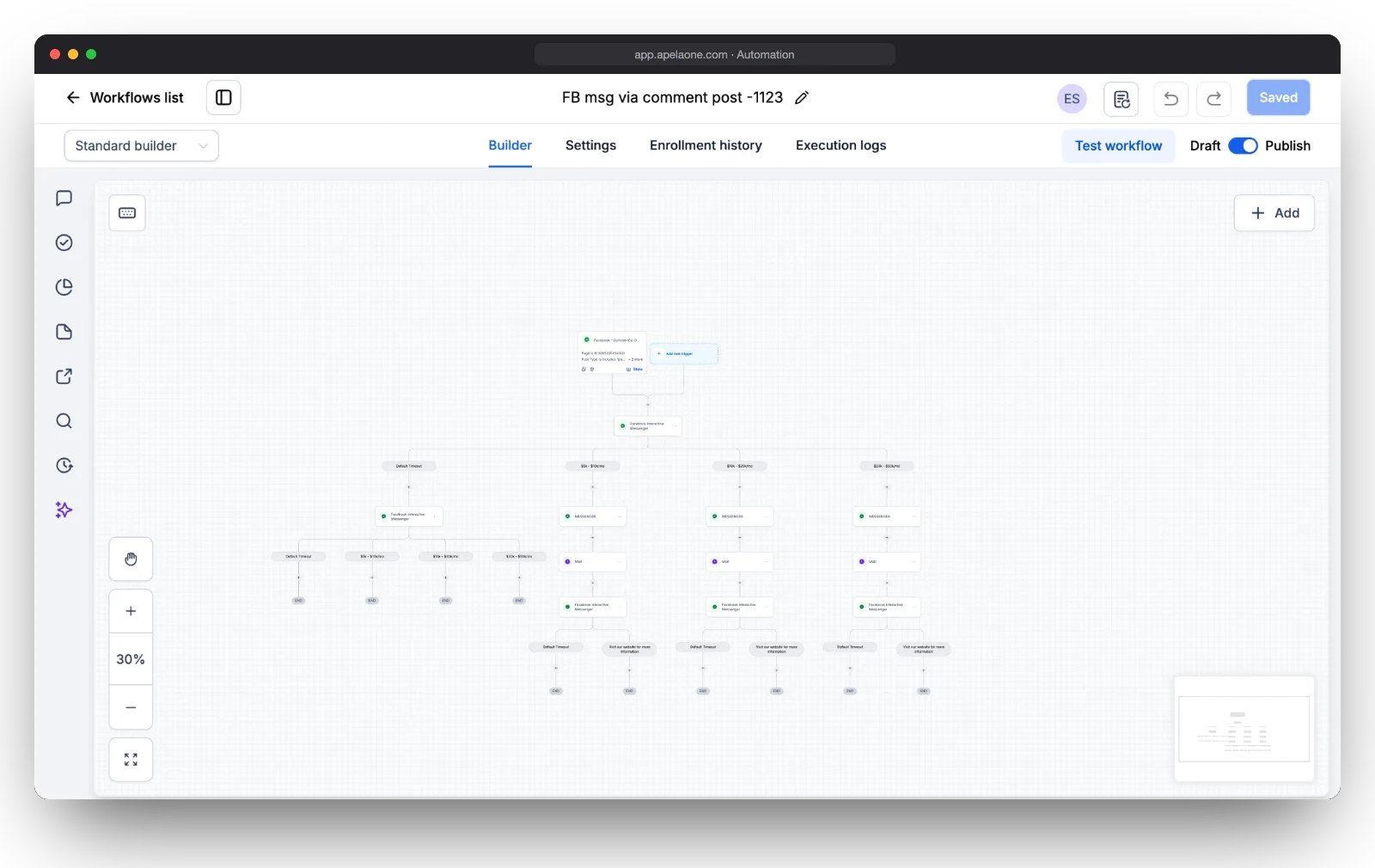
Social media automation
Facebook comments that turn into conversations
When someone comments on a post, they get an instant Messenger reply that asks a qualifying question with tap-to-answer options. Each answer takes its own path, with a follow-up and a link to your website, so serious buyers reach you already sorted.
And many more
If you do it more than twice, we can automate it.
A sample of the workflows we set up. Every business gets its own mix, built around how you already work.
Email & SMS
- New-lead welcome text and email
- Quote and estimate follow-up
- Long-term nurture drips
- Old-lead re-engagement
- Promos and seasonal offers
- Newsletters and announcements
Social media
- Comment-to-DM replies
- Instagram DM auto-replies
- Messenger lead qualifiers
- Google Business messages
- Lead-form ads into the CRM
- Hot-lead alerts to your phone
Booking
- Instant booking confirmations
- 24-hour and 1-hour reminders
- Reschedule and cancel links
- No-show rebooking
- Post-appointment thank-you
- Repeat-service reminders
General business
- Missed-call text-back
- Invoice and payment reminders
- Task assignment for your team
- Pipeline stage updates
- Review requests and referrals
- Internal notifications and reports
Why speed and follow-up matter.
of customers buy from the first business to respond (InsideSales.com study)
more likely to qualify a lead when you reply within 5 minutes (MIT / InsideSales.com)
fewer no-shows when automated text reminders are running
Ready to put your growth on autopilot?
Book a free call and we'll map out the exact system to bring your business more leads, more bookings, and more reviews.